
The Best MongoDB Compass Alternatives in 2026
MongoDB Compass is the official GUI - but it only runs on a desktop. So what do you reach for when you need MongoDB on your phone? Here's an honest comparison for Android and iPhone.
Short answer: there is no MongoDB Compass mobile app - Compass is desktop-only (macOS, Windows, Linux) and has no phone-side SSH workflow. The best MongoDB Compass alternative for mobile is Byson, a mobile MongoDB client with built-in SSH tunneling for Android and iOS. Its main reason to use is secure remote MongoDB access from a phone: SSH-tunneled connections, browsing, queries, schema analysis, and profiling. A bring-your-own-key AI aggregation Copilot is an optional bonus.
Disclosure: we make Byson, so we have a stake in this. We've kept the comparison honest - including where Compass is genuinely better. Compass is a great desktop tool; this article is about what to do when there's no desk in sight.
MongoDB Compass is excellent. It's free, official, and its visual aggregation builder is one of the nicest ways to assemble a pipeline. But if you've ever searched for Compass on mobile - to check a collection from the train, or chase down a slow query during dinner - you've hit the wall: Compass is a desktop application, full stop. There is no Android or iPhone build.
That's not an oversight you can patch with a browser tab. So the real question is: when you need a MongoDB GUI for Android or iPhone, what's the closest thing to Compass that actually fits in your pocket?
Compass vs Byson at a glance
| Capability | MongoDB Compass | Byson |
|---|---|---|
| Mobile app | ❌ Desktop only (macOS/Win/Linux) | ✅ Native Android + iOS |
| SSH tunnel | ❌ Not built in | ✅ Built-in SSH tunnel + TLS |
| BYO AI aggregation | ❌ Not a focus | ✅ Bring-your-own-key Copilot |
| Schema analyzer | ✅ Schema tab | ✅ With sensitive-field redaction |
| Explain / profiler | ✅ Explain plan | ✅ Explain + profiler + flame graph |
| Free tier | ✅ Free | ✅ Free to start, Pro available |
Why there's no Compass on mobile
Compass is built as a desktop Electron application. MongoDB ships it for macOS, Windows, and Linux - and that's the whole list. There is no official iPhone or Android version, no mobile beta, and a phone browser won't help because Compass isn't a web app. If your workflow ever leaves the desk, Compass simply isn't there with you.
That gap is exactly the one Byson was built to fill: not to replace Compass at a desk, but to give you a real MongoDB client - one that can SSH into production - when the desk isn't an option.
Byson - a mobile MongoDB client with built-in SSH tunneling
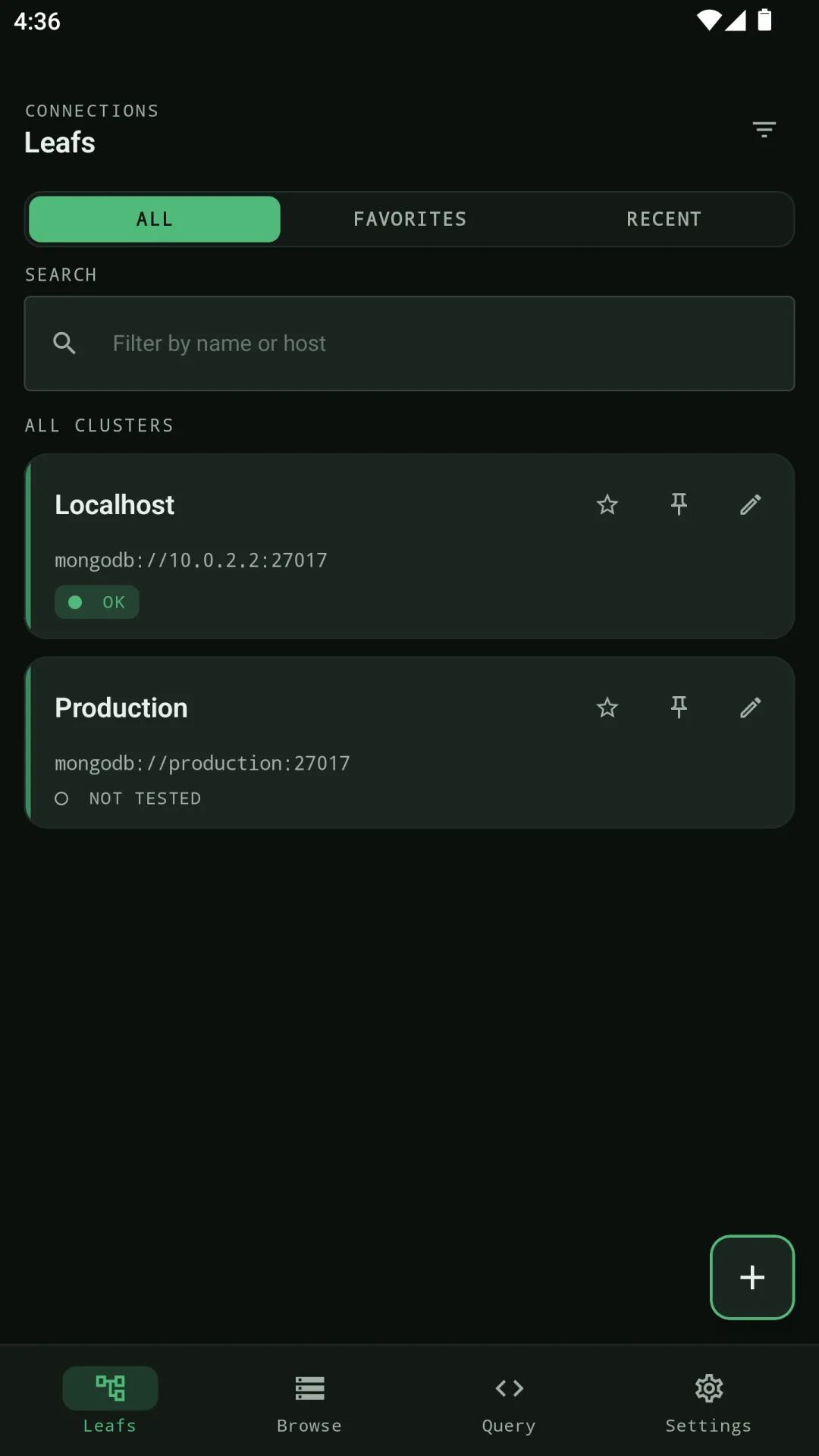
Byson is a mobile MongoDB client with built-in SSH tunneling for Android and iOS - not a shrunk-down desktop window. Its main reason to use is secure remote MongoDB access from a phone: when prod breaks and your laptop is nowhere near, you SSH in and query. Here's what it covers:
- Built-in SSH tunnel - reach production MongoDB behind a bastion host or firewall, straight from your phone. This is the wedge Compass and other mobile MongoDB apps don't have.
- Connection manager - MongoDB Atlas seed lists, replica sets, and self-hosted servers, with SSH and system-CA TLS.
- Browse databases and collections with a clean, touch-friendly layout.
- JSON document editor to view, edit, insert, and delete documents.
- Find & aggregation queries with a dedicated pipeline editor.
- Schema Analyzer - infer field types and coverage, with automatic redaction of sensitive fields.
- Explain & profiler, including a flame graph view, to catch slow queries and missing indexes.
- Index management - list, create, and drop indexes.
- BYO AI aggregation Copilot (optional bonus) - if you want it, describe what you need in natural language (any language) and Byson drafts a MongoDB aggregation. You bring your own key, and generated pipelines never auto-run - you review, edit, then press Run.
Pricing: Byson is free to start, with a Pro upgrade for unlimited use and advanced tools. The point isn't to out-feature Compass on a 27-inch monitor - it's to give you a capable MongoDB client, with SSH, on the device that's always in your hand.
Does Byson replace Compass?
Honestly, no - and we won't pretend otherwise. For heavy desktop work, Compass and its visual aggregation builder are excellent, and if you're sitting at a machine, reach for it. Byson's edge is different: it's the one that actually runs on a phone, and it adds SSH tunneling and a bring-your-own-AI Copilot that Compass doesn't focus on.
Think of them as complementary. Compass for the deep desk session; Byson as your compass alternative for phone when you're away from it.
Who should use a Compass alternative on mobile?
If you're a developer or operator who occasionally needs to peek at production, confirm a document, run a quick aggregation, or check why a query is slow - and you're not always near a laptop - a mobile MongoDB GUI earns its place. That's the gap between "I'll check it later" and "I checked it from the platform while waiting for the train."
Official reference: MongoDB Compass documentation.
Try Byson - free on Android and iOS
Byson is a mobile MongoDB client with built-in SSH tunneling - free on Google Play and the App Store. The BYO AI Copilot is an optional bonus. No account required. Your data stays in your hands.
FAQ
Is there a MongoDB Compass app for mobile?
No. MongoDB Compass is the official free MongoDB GUI, but it is desktop-only - macOS, Windows, and Linux. There is no Compass app for Android or iPhone, and no phone-side SSH workflow. To securely reach MongoDB from a phone you need a mobile MongoDB client with built-in SSH tunneling like Byson.
What is the best MongoDB Compass alternative on a phone?
Byson is a mobile MongoDB client with built-in SSH tunneling for Android and iOS. Its main reason to use is secure remote MongoDB access from a phone: a connection manager with a built-in SSH tunnel and TLS, browse databases and collections, a JSON document editor, find and aggregation queries, a Schema Analyzer, explain and profiler, and index management. A bring-your-own-key AI aggregation Copilot is an optional bonus.
Does Byson do everything Compass does?
No, and that's honest. Compass and its visual aggregation builder are excellent for heavy desktop work. Byson's edge is that it actually runs on a phone and has a built-in SSH tunnel, so you can securely reach production MongoDB that Compass cannot follow you to. For a desk session, Compass is great; for secure MongoDB access in your pocket, Byson is the practical pick. The BYO AI Copilot is an optional bonus.
Related reading: the best mobile MongoDB GUI in 2026, the MongoDB SSH mobile client, and the MongoDB query profiler on mobile.