
The Best Free MongoDB Client in 2026
"Free" can mean a few different things. Here is an honest look at the free MongoDB clients worth knowing in 2026, for both desktop and mobile.
Short answer: a solid free MongoDB client exists for every situation. On the desktop, MongoDB Compass is the official free GUI and DBeaver Community is a free open-source option. On your phone, Byson has a genuinely usable free tier with a built-in SSH tunnel. Just know what "free" means before you commit: truly free, open source, or freemium (a free tier with paid upgrades).
Disclosure: we make Byson, a mobile MongoDB client with built-in SSH tunneling. Byson is the free mobile option in this roundup. We have tried to keep the comparison fair and accurate; the underlying facts about other tools apply no matter which client you choose.
What counts as a free MongoDB client?
The word "free" gets stretched in this space, so it helps to separate three categories before you pick a tool:
- Truly free - the full tool costs nothing, with no paid tier nudging you. MongoDB Compass is the clearest example: the official GUI, free on every desktop platform.
- Open source - free and the source code is public, so you can read it, build it, or fork it. DBeaver Community falls here. Open source usually implies free, but the real value is transparency and self-hosting.
- Freemium - a free tier or trial, with features gated behind a paid upgrade. NoSQLBooster, Studio 3T and Byson work this way. The free tier can be perfectly good; just check what is gated before you rely on it.
None of these is "better" than the others. A free desktop GUI, an open-source multi-database tool, and a freemium mobile app solve different problems. The trap is assuming "free trial" means "free forever," so always read the tier, not just the headline.
The best free MongoDB clients in 2026
Here is an honest side-by-side of the options people actually reach for. "Free?" describes the tier you get without paying; "SSH tunnel" notes whether you can reach a database behind a bastion host without a separate terminal.
| Tool | Platform | Free? | SSH tunnel | Notes |
|---|---|---|---|---|
| MongoDB Compass | Desktop (Win/macOS/Linux) | Free, official | Yes | The official GUI from MongoDB, Inc. No mobile app. |
| Byson | Mobile (Android/iOS) | Free tier (freemium) | Yes, built in | The free mobile option here. Pro unlocks unlimited use. |
| NoSQLBooster | Desktop | Free tier (freemium) | Yes | Capable free edition; some features are paid. |
| Studio 3T | Desktop | Paid, free trial | Yes | Feature-rich and commercial; not free long term. |
| DBeaver Community | Desktop | Free, open source | Yes | Multi-database tool; MongoDB is one of many engines. |
If you only ever sit at a laptop, Compass is the easy free pick because it is official and focused on MongoDB. DBeaver suits you if you bounce between MongoDB and SQL engines in one window. The gap none of the desktop tools fill is the one you hit when you are away from your desk.
A free MongoDB client for your phone
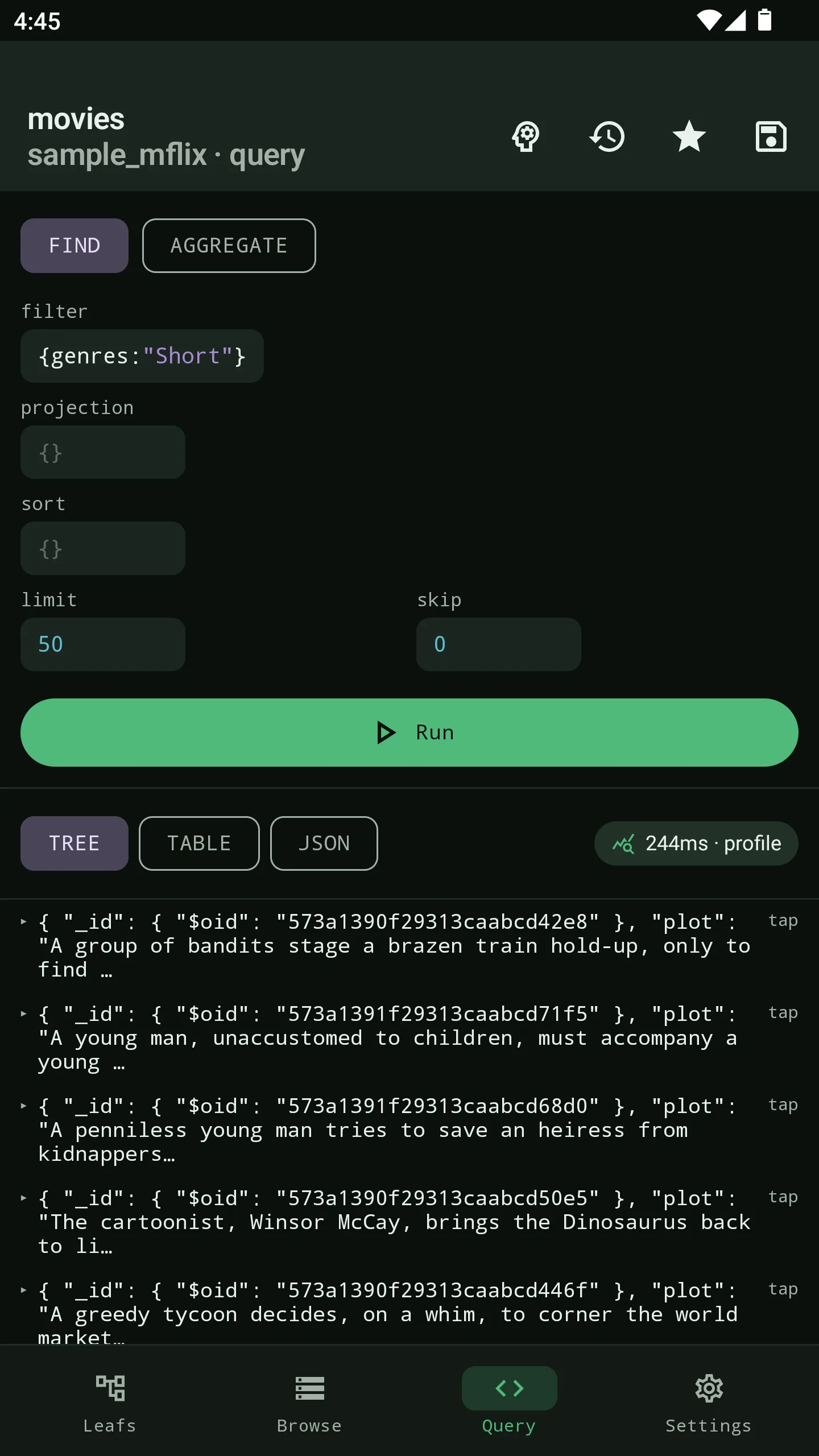
Every tool in the table above is desktop-only except one. When an alert fires and your laptop is not in reach, you need a client that lives on your phone. That is where Byson comes in, and its free tier is built to be useful on its own rather than a teaser:
- 3 saved connections - enough for prod, staging and a sandbox.
- Browse and query - explore databases and collections, run finds and aggregations.
- Recent query history - the last 15 queries are kept so you can rerun them.
- Basic schema analyzer - get a quick read on field types and shape.
- Built-in SSH tunnel - reach a database behind a bastion host without a separate terminal app.
- 10 BYO AI generations per day - bring your own API key to draft aggregations.
Being honest about what is gated: the free tier caps you at 3 saved connections, 15 history items and 10 AI generations a day. Pro lifts those to unlimited connections, unlimited history and unlimited AI generations, plus the deeper schema details. The free tier is not crippled, but heavy daily use is where Pro pays off. Byson runs on Android 10+ and iOS 16+, and it is free to download on both stores.
Which free client should you use?
It comes down to where you do the work:
- Desktop power user, MongoDB only: start with MongoDB Compass. It is free, official and purpose-built.
- Desktop user juggling several databases: DBeaver Community gives you MongoDB alongside SQL engines in one free, open-source app.
- On-call or working from your phone: Byson is the free mobile client, with the SSH tunnel built in so you are not stitching together a terminal app.
- Need heavy commercial features and have a budget: a freemium or paid desktop tool like NoSQLBooster or Studio 3T may earn its price; just do not mistake the trial for "free forever."
Most teams end up with two: a free desktop GUI for deep work and a free mobile client for everything that happens away from the desk.
Get a free MongoDB client on your phone
Byson is a mobile MongoDB client with a built-in SSH tunnel - free on Google Play and the App Store. Browse, query, check schema and rerun history from anywhere. The BYO AI Copilot is an optional bonus.
FAQ
Is there a free MongoDB client?
Yes. There are several free MongoDB clients. MongoDB Compass is the official free desktop GUI. DBeaver Community is a free open-source multi-database tool. On mobile, Byson has a free tier with browse, query, history, a basic schema analyzer and a built-in SSH tunnel. Some tools like NoSQLBooster and Studio 3T are freemium, meaning a free tier or trial with paid upgrades.
Is MongoDB Compass free?
Yes. MongoDB Compass is the official GUI from MongoDB, Inc. and it is free to download and use on Windows, macOS and Linux. It is a desktop application, so there is no official Compass app for phones. For a phone you need a separate mobile client.
What is the best free MongoDB client for mobile?
Byson is a free MongoDB client for Android and iOS with a built-in SSH tunnel. The free tier covers 3 saved connections, browse and query, recent query history, and a basic schema analyzer, which is enough for everyday work on the go. A Pro upgrade unlocks unlimited connections, unlimited history and unlimited AI generations.
Related: the broader roundup of the best mobile MongoDB GUIs →
Related: a MongoDB Compass alternative for mobile →