
Is It Safe to Use AI With Your Database Data?
The honest answer depends on what the tool sends to the model. Here is how a privacy-first design lets AI write your MongoDB queries without ever seeing your real records.
Short answer: yes, it is safe to use AI with your database data - if the tool sends a schema summary instead of your documents. Good MongoDB AI data privacy means the model sees field names and types with redacted example values, never raw records, and any generated query is validated before it can run. Byson is a mobile MongoDB client with built-in SSH tunneling; the AI query feature is an optional bonus you can use with your own key. It works exactly this way on Android and iOS.
Disclosure: we make Byson. This explains how its AI privacy model works; the same principles apply to any tool that respects MongoDB AI data privacy.
Does AI see my database data?
This is the question that decides everything. With a naive AI tool, your prompt and a pile of sample documents get shipped off to a third-party model - which is exactly the privacy problem people worry about. A privacy-first design answers it differently: the AI never receives your documents at all.
Byson is built around that rule. It never sends raw documents to the AI provider. What leaves the device is a schema summary - field names plus their types - alongside redacted or synthetic example values. That is enough structure for the model to write a correct aggregation pipeline, without it ever reading a real customer, order, or record.
Send schema, not data: how redaction works
"Send the schema, not the data" is the core idea, and Byson hardens it in two ways:
- On-device sampling. Schema sampling runs locally on your phone. The app inspects the collection and builds the field-and-type summary without uploading documents anywhere.
- Automatic redaction. Sensitive fields are auto-redacted by name pattern - over 30 patterns covering things like email, password, ssn, token, address, and medical - before anything leaves the device. Example values for those fields are stripped or replaced.
So even the schema summary that does leave the device carries no sensitive example data. The model gets the shape of your data, not its contents.
Where does my API key go?
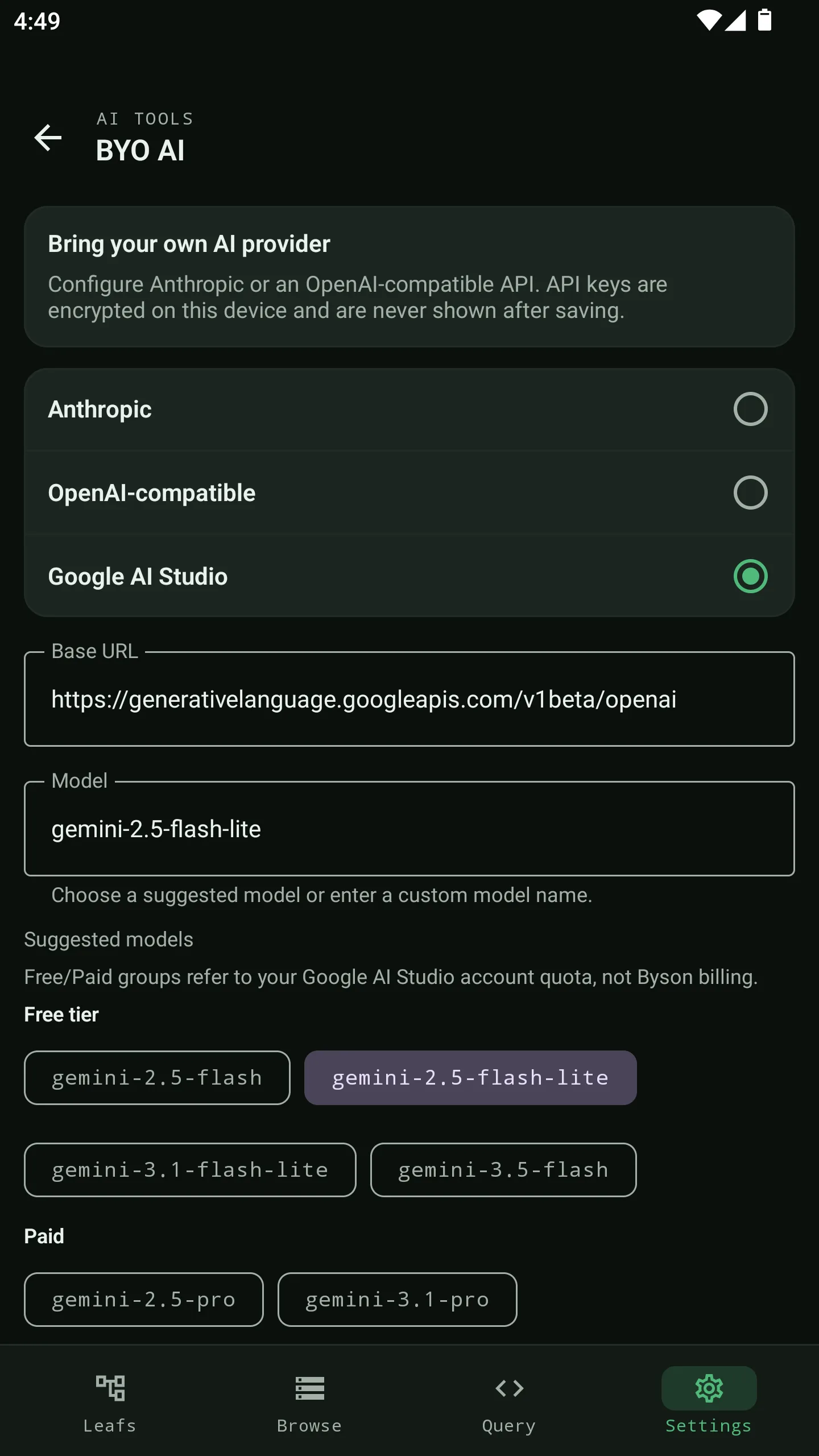
The other half of MongoDB AI privacy is the key itself. Byson is bring-your-own-key: you supply your own key from Anthropic (Claude), an OpenAI-compatible endpoint, or Google AI Studio, and you pay that provider directly with no token markup.
That key is encrypted on-device - Android Keystore on Android, iOS Keychain on iOS. It is never logged and never shown again after you save it. You can update the provider, model, or base URL later without re-entering the hidden saved key.
Why this is safe by design
| Risk with naive AI tools | How Byson handles it |
|---|---|
| AI reads your real documents | Only a schema summary (field names + types) is ever sent - never raw documents |
| Sensitive values slip into the prompt | over 30 name patterns (email, password, ssn, token, address, medical...) auto-redacted on-device before sending |
| Documents uploaded for sampling | Schema sampling runs locally on-device; nothing is uploaded to sample it |
| AI writes a destructive or code stage | Safety whitelist blocks $out, $merge, $where, $function before you can apply it |
| Generated query auto-runs | Nothing runs on its own - you review the draft and press Run yourself |
| Your API key leaks | Bring-your-own, encrypted on-device (Keystore / Keychain), never logged, never re-shown |
Can the generated query damage your database?
A safe privacy model would still be incomplete if the AI could hand you a query that silently wipes a collection. Byson closes that gap too. Every generated pipeline is validated against a safety whitelist that blocks destructive or code-execution stages - $out, $merge, $where, and $function - and pipelines never auto-run.
Instead, the draft loads into the aggregation editor with its explanation and assumptions. You read it, edit it if needed, and press Run yourself. The AI drafts; you decide.
The takeaway
Is it safe to use AI with your database data? Yes - when the tool is built so the model gets enough structure to write a query without ever seeing real records, and a generated query cannot silently damage your database. That is the whole design: schema not data, redaction before it leaves the device, an encrypted key you own, and review-before-run.
Official reference: MongoDB - Data Modeling.
Try privacy-first AI queries in Byson
Byson is a mobile MongoDB client with built-in SSH tunneling - free on Google Play and the App Store. The BYO AI Copilot is an optional bonus. Bring your OpenAI, Claude, or Google AI Studio key - your data stays on-device.
FAQ
Does the AI see my MongoDB documents?
No. Byson never sends raw documents to the AI provider. It sends only a schema summary - field names and types - plus redacted or synthetic example values. Sensitive fields are auto-redacted by name before anything leaves the device, so the model gets structure without ever seeing real records.
Where is my AI API key stored?
Your key is bring-your-own and stored encrypted on the device - Android Keystore on Android, iOS Keychain on iOS. It is never logged and never shown again after you save it. You pay your AI provider directly, with no token markup.
Can an AI-generated query damage my database?
No. Generated pipelines are checked against a safety whitelist that blocks destructive or code stages like $out, $merge, $where, and $function, and they never auto-run. Byson loads the draft into the editor - you review it and press Run yourself.